
At launch, SonoSim does not email learners when a new assignment becomes available. To tell learners where to find their work, use Copy Learner Link and add the link to an email, course announcement, or learning management system (LMS). The link opens the assignment page for learners already assigned to that work. See Are there notifications about new assignments or assignment updates? for the current notification options.
Copy the link
-
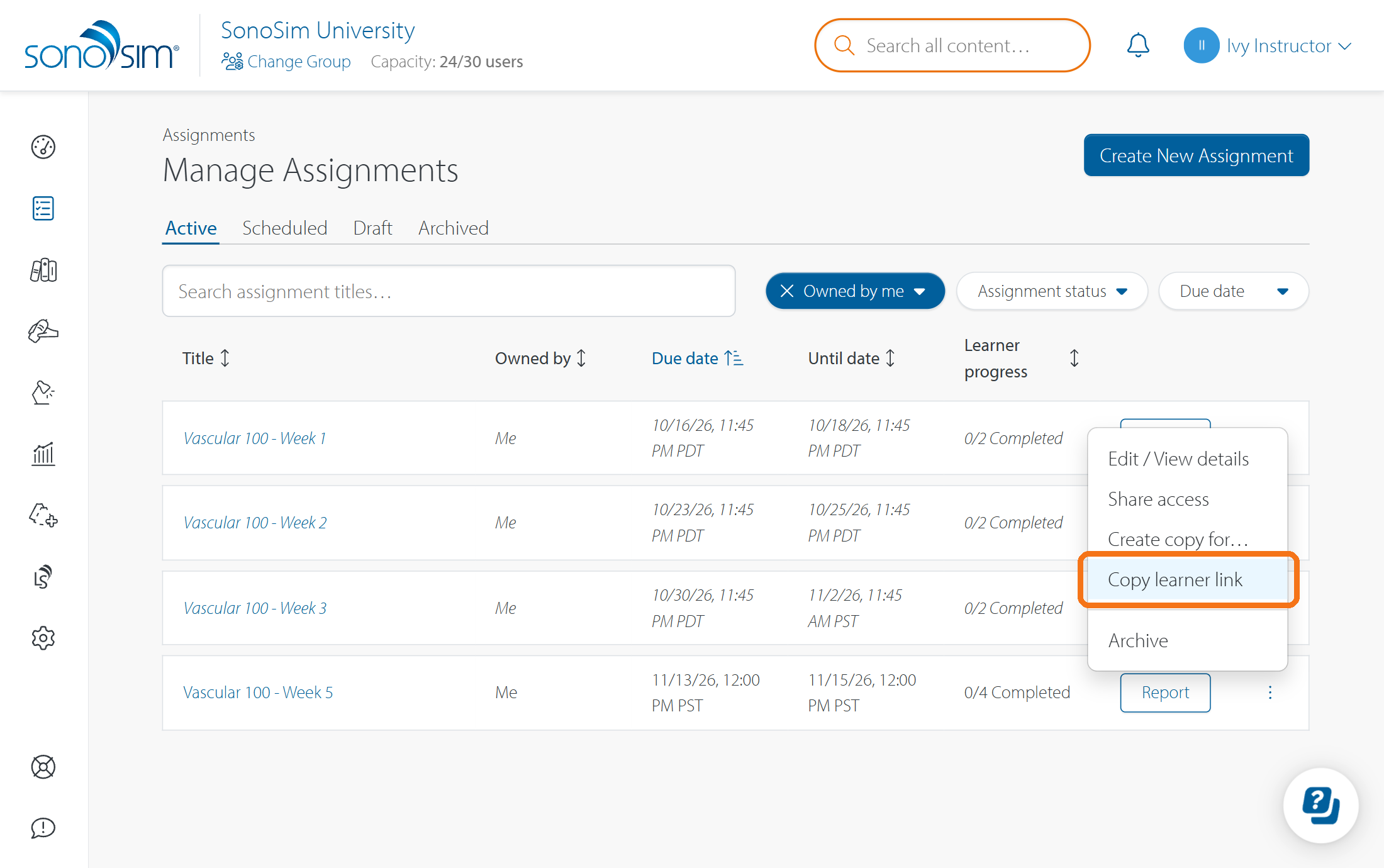
Open Assignments → Manage Assignments.
-
Find the assignment under Active or Scheduled.
-
Open its ••• menu and select Copy Learner Link.
-
Paste the link into your message or course materials.
Who can open the link?
Only learners assigned to that assignment can open its learner page. You can share a Scheduled assignment's link in advance, but learners cannot open the assignment until its Available From date and time. See When do my learners start seeing an assignment? for more about availability.
To check the learner experience as an admin, preview the assignment from Manage Assignments. For the steps learners use to find and start their work, see Where can I find and start my SonoSim assignment?.
Contact Support
-
Give us a call: 855-873-7666
-
Schedule a virtual Support Session