
In Assignments → Manage Assignments, use Assignment status on the Active tab to narrow the list by due date and whether learners can still work. An assignment stays under Active until an admin archives it, even after its due date or access cutoff.
Choose a status
-
Open assignments: Learner access is still open. This includes assignments due in the future AND assignments that are past due but still allow late work.
-
Upcoming assignments: The due date has not passed. These assignments are already available to learners; assignments waiting for their Available From date appear under Scheduled instead.
-
Overdue assignments: The due date has passed, but learners can still work. New work completed now is late.
-
Closed assignments: The Until Date has passed, so learners can no longer complete more work. They can still view the assignment and its report.
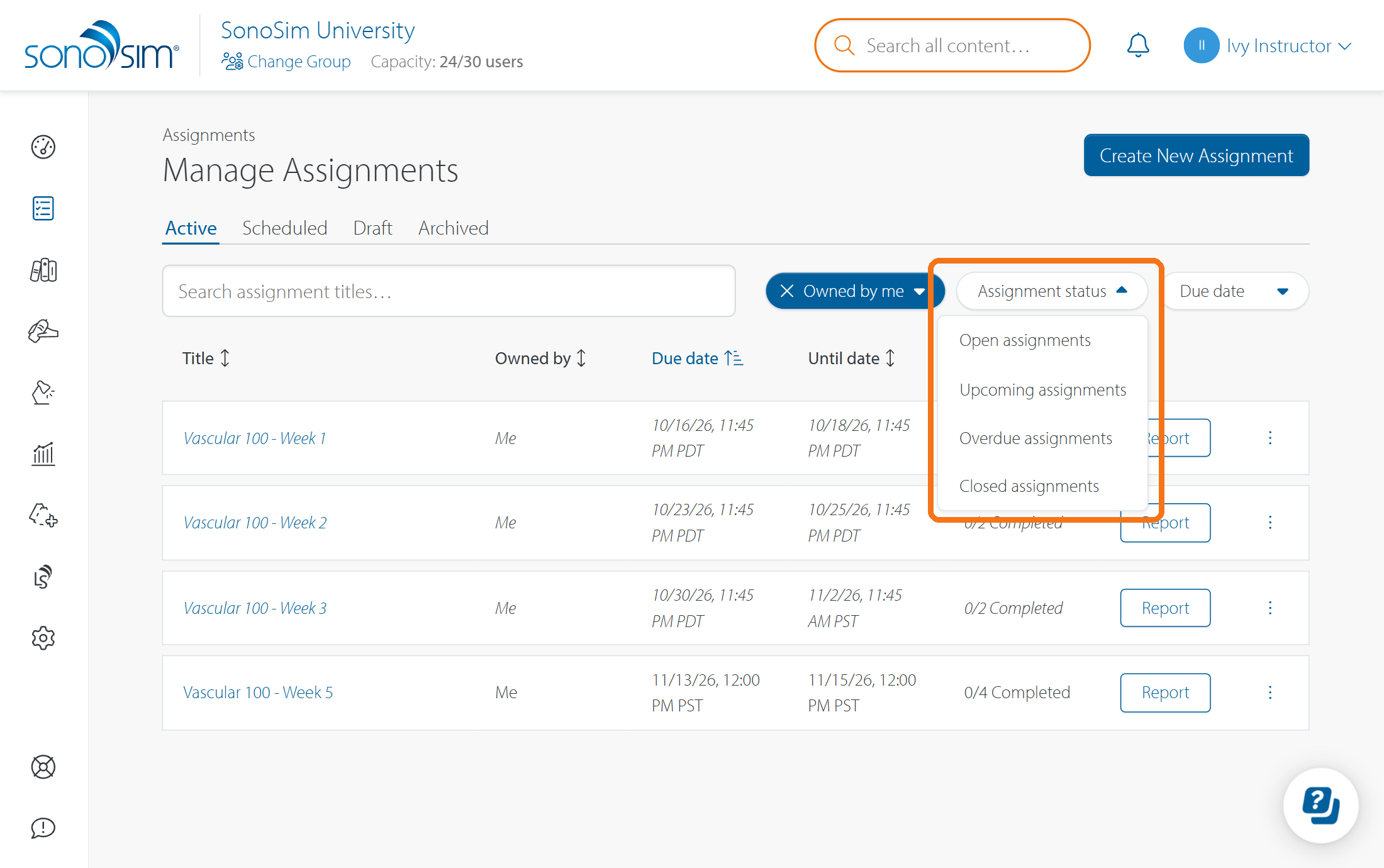
To see every assignment on the Active tab, clear the selected Assignment status filter by clicking the X. You can also use the Due date filter to find a specific date range.
For more about how the three dates control visibility, deadlines, and access, see How do Available From, Due Date, and Until Date work?
Contact Support
-
Give us a call: 855-873-7666
-
Schedule a virtual Support Session