
No. The Key Finding shown in the admin's scanning-task preview does not appear in the learner's assigned-task panel while they scan in the SonoSimulator.
After you publish feedback on a learner's saved SonoSimulator image, they can click the image to open a modal that shows the Key Finding and optimal reference image alongside their saved image. Once feedback is published on an image, the learner cannot delete or modify it, so they cannot revise their image after seeing the Key Finding.
Where you can review the Key Finding
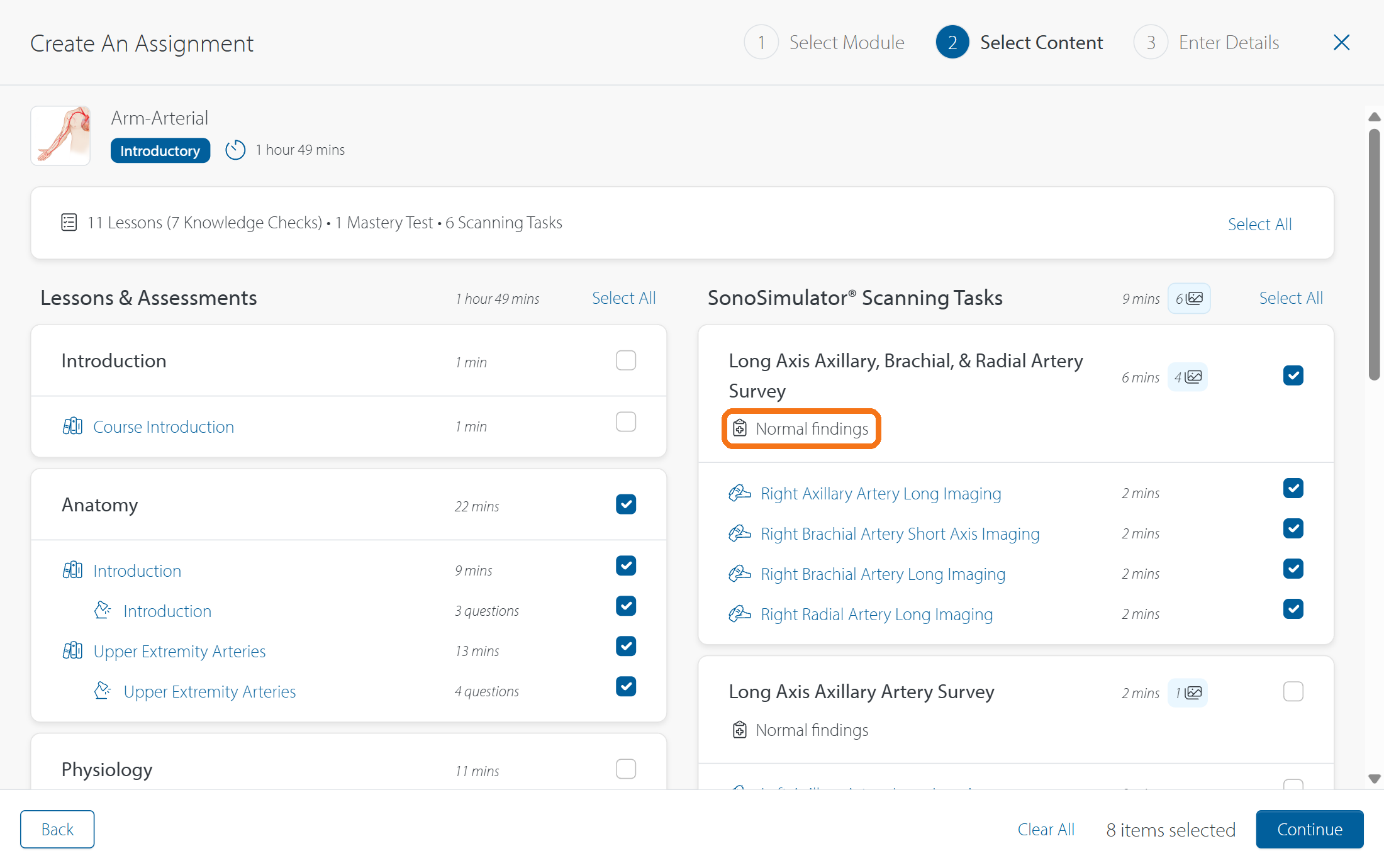
During Select Content, the key finding will appear below the scanning activity title. Additionally, you can open a scanning task's preview to review its key finding and other supporting material before assigning the task. For the full selection and preview workflow, see How do I create and publish a SonoSim assignment?
Contact Support
-
Give us a call: 855-873-7666
-
Schedule a virtual Support Session