
Manage Assignments opens with the owner filter set to Owned by me. If another admin shared an assignment with you, switch that filter to Shared with me to find it.
Check your assignment list
-
Open Assignments → Manage Assignments.
-
Change the owner filter to Shared with me. You can also clear the owner filter by clicking the X to see both assignments you own and assignments shared with you.
-
If it’s still not visible, check all tabs (e.g., Active, Scheduled, Draft, and Archived). Clear any title search, Assignment status filter, or Due date filter that may be narrowing the list.
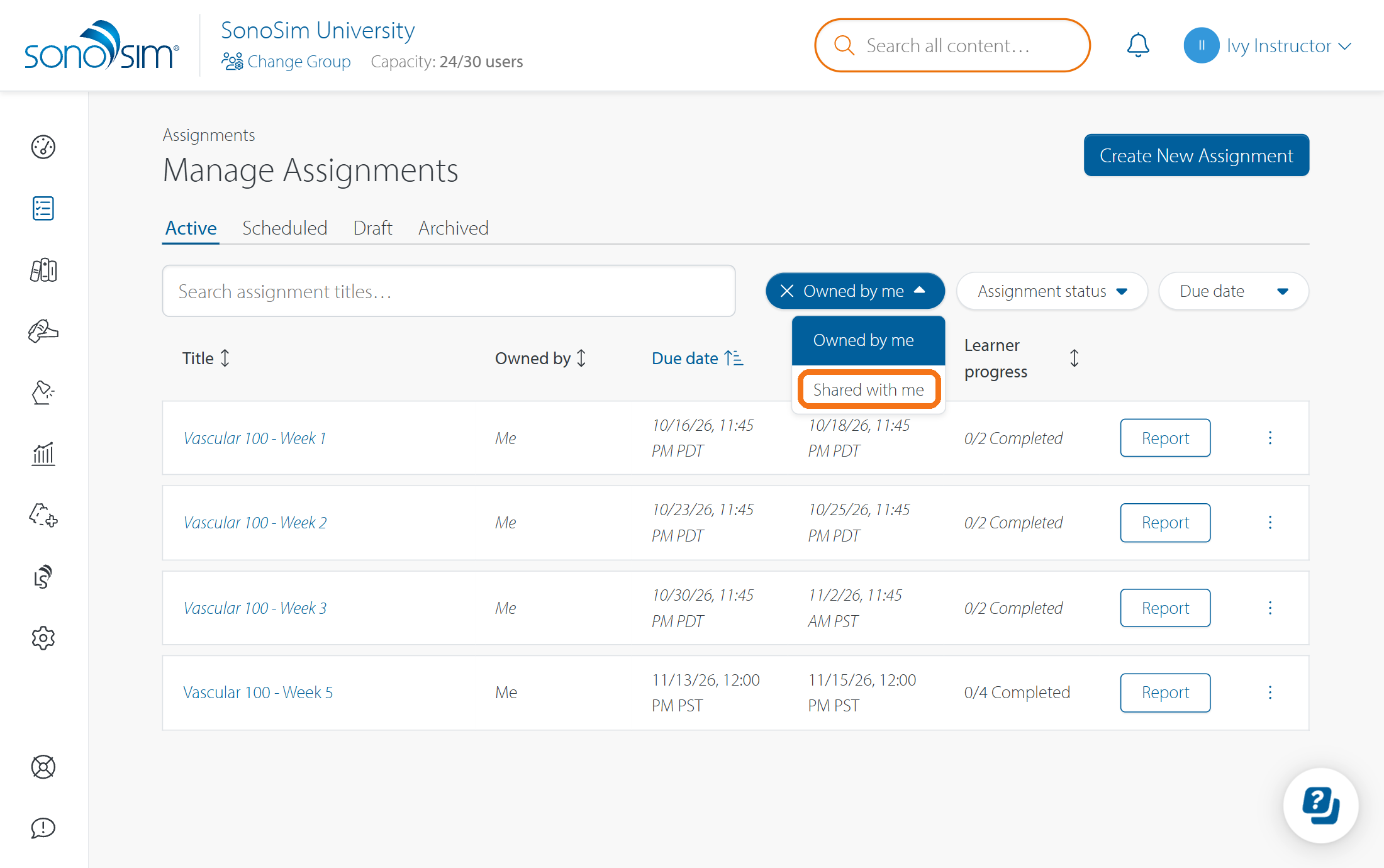
If you manage more than one group, you may need to Change Group to select the group where the assignment was created.
Confirm that you have access
Ask the assignment’s Owner or an Editor to open Share access and confirm that your SonoSim account is listed in Manage Collaborator Access as a Viewer or Editor. They should check the email address on your account, especially if you use more than one sign-in. If your account is missing, they can add you. See How do I share an assignment with other admins?
Contact Support
-
Give us a call: 855-873-7666
-
Schedule a virtual Support Session