
You can give another admin access to an assignment so they can help manage it or review its details and results.
Add an admin
-
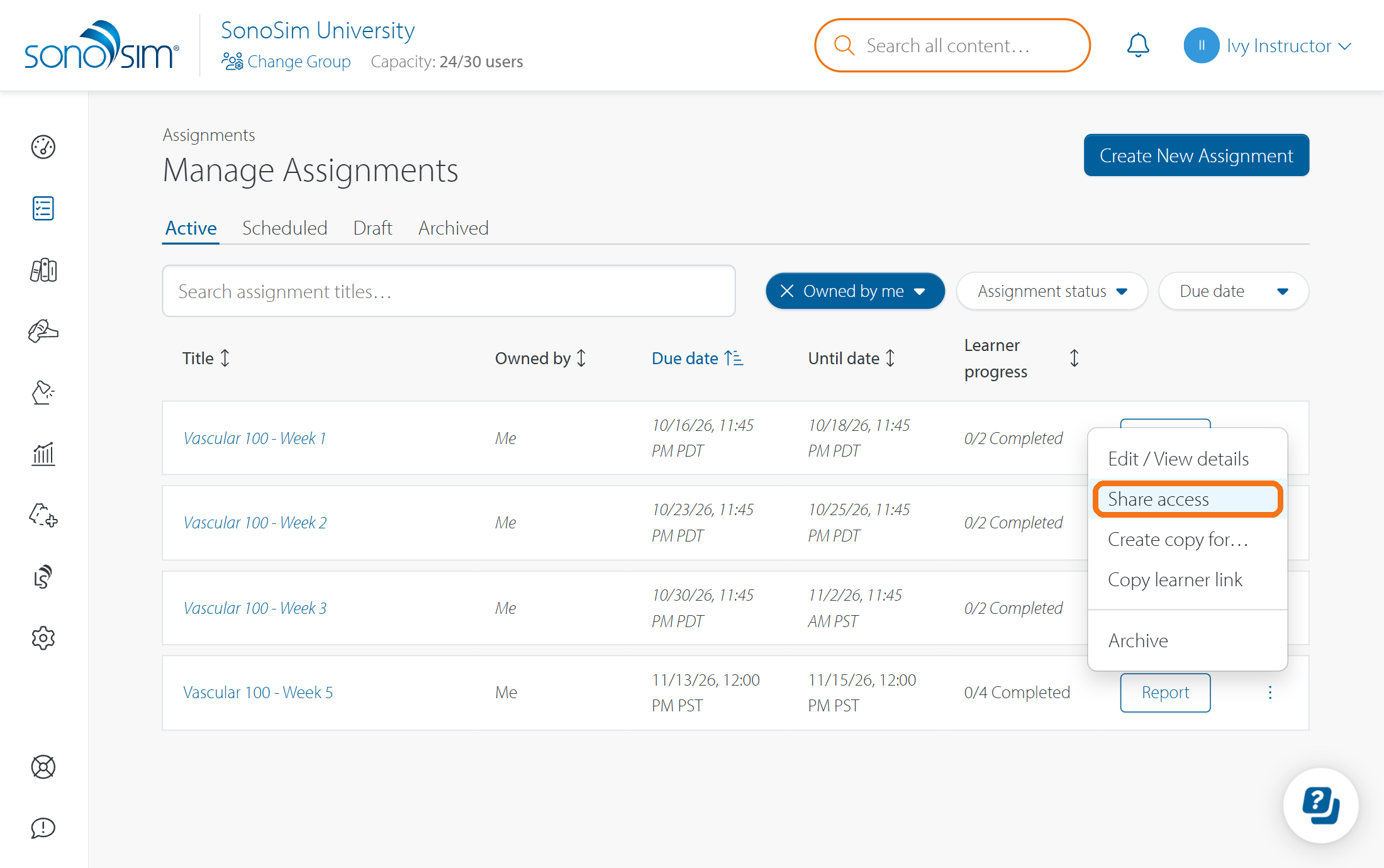
Open Assignments → Manage Assignments and find the assignment under Draft, Scheduled, or Active.
-
Open its ••• menu and select Share access.
-
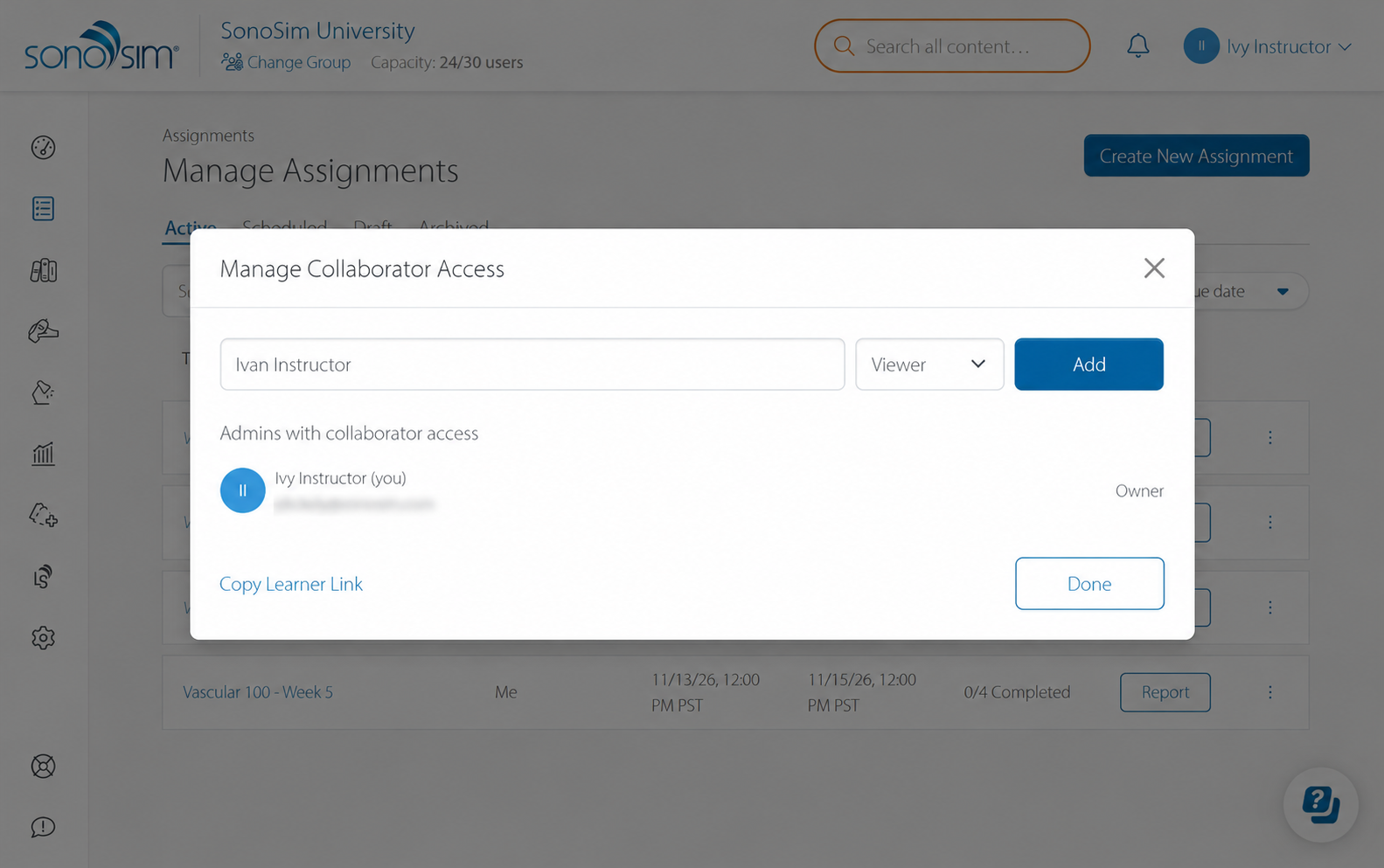
In Manage Collaborator Access, search for the admin by name or email.
-
Choose Viewer or Editor, then select Add. New collaborators default to Viewer. Select Done when finished.
Newly added Editors and Viewers receive an email when they are given access. The owner and collaborators also receive emails about certain changes made by other admins. See assignment notifications for details.
Choose the right role
-
Owner: The assignment has one Owner. The Owner can edit, publish, share, archive, and delete their own draft. Ownership cannot be transferred.
-
Editor: Can edit and publish the assignment, manage collaborator access, archive or unarchive it, and review results and give feedback. An Editor cannot delete the Owner's draft.
-
Viewer: Can view assignment details and reports and create their own copy, but cannot edit, publish, share, archive, delete, or give feedback.
Change or remove access
Open Share access again to switch a collaborator between Editor and Viewer or remove them. Changing an existing collaborator’s role does not send another sharing email. The Owner's role cannot be changed. Archived assignments are read-only; an Owner or Editor must unarchive one before changing access.
Contact Support
-
Give us a call: 855-873-7666
-
Schedule a virtual Support Session