
If you cannot find an older assignment in My Assignments, check the assignment status filter on your Assigned list first. The default Open assignments filter can hide assignments you can no longer work on.
Check the Assigned list
-
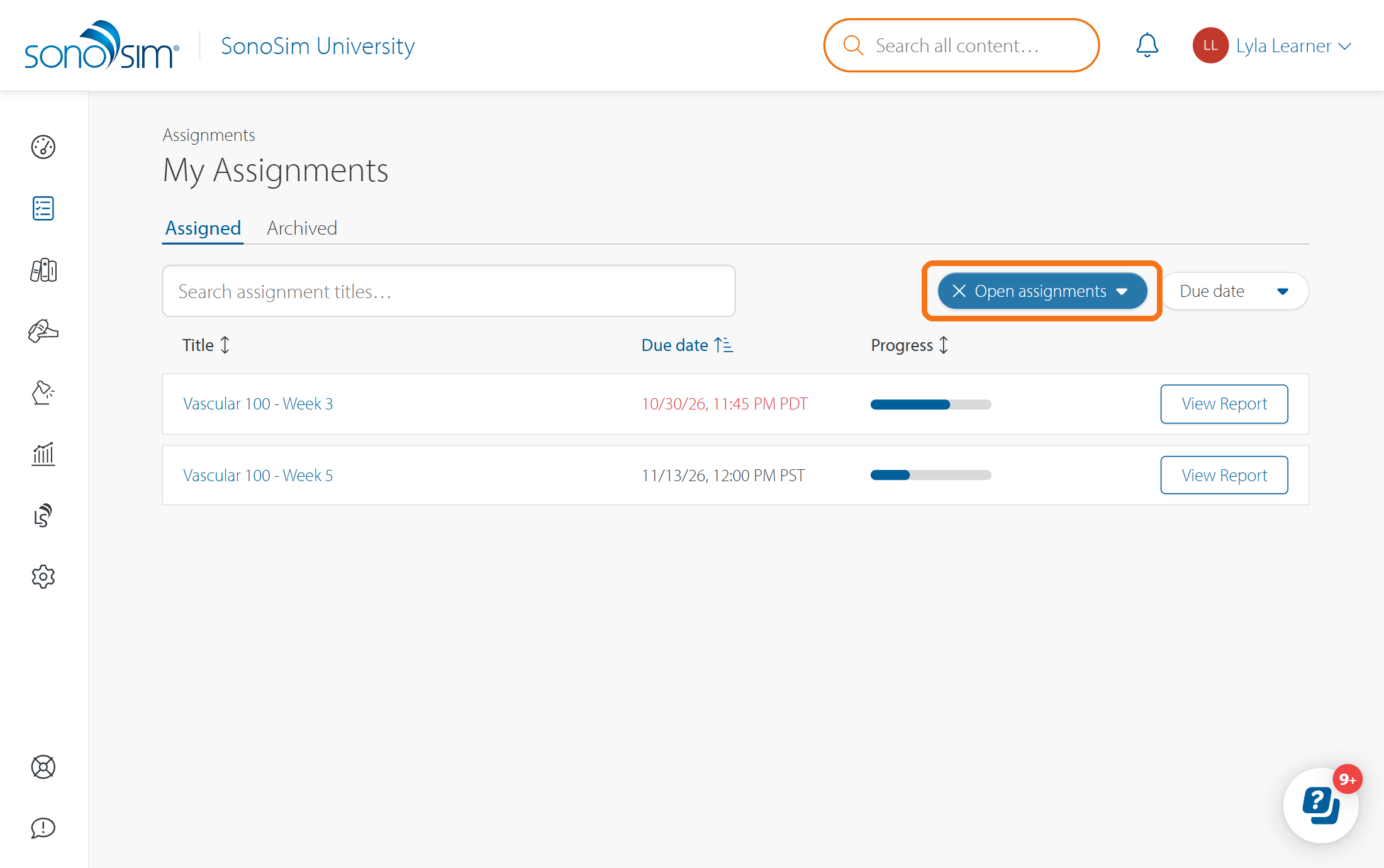
Open Assignments → My Assignments (make sure you’re on the Assigned tab).
-
Clear the Open assignments filter by clicking the X to show all assignments in this list. You can also clear any title search or Due date filter.
Check the Archived list
If you still do not see the assignment, it’s possible your instructor has Archived it. Select the Archived tab in My Assignments to look for it. You can open an archived assignment to review its outline and report, but you cannot complete more work in it.
If the assignment is in neither list, ask your instructor to confirm that it was assigned to your account. It is possible you may have been removed from the assignment, which would remove the assignment entirely from your view.
Contact Support
-
Give us a call: 855-873-7666
-
Schedule a virtual Support Session