
You cannot remove an assignment from your Assigned list yourself. You can use the assignment status filter to focus on assignments with upcoming due dates.
Show upcoming assignments
-
Open Assignments → My Assignments (make sure you’re on the Assigned tab).
-
Open the assignment status filter and choose Upcoming assignments. This hides assignments whose due dates have passed from the current list view.
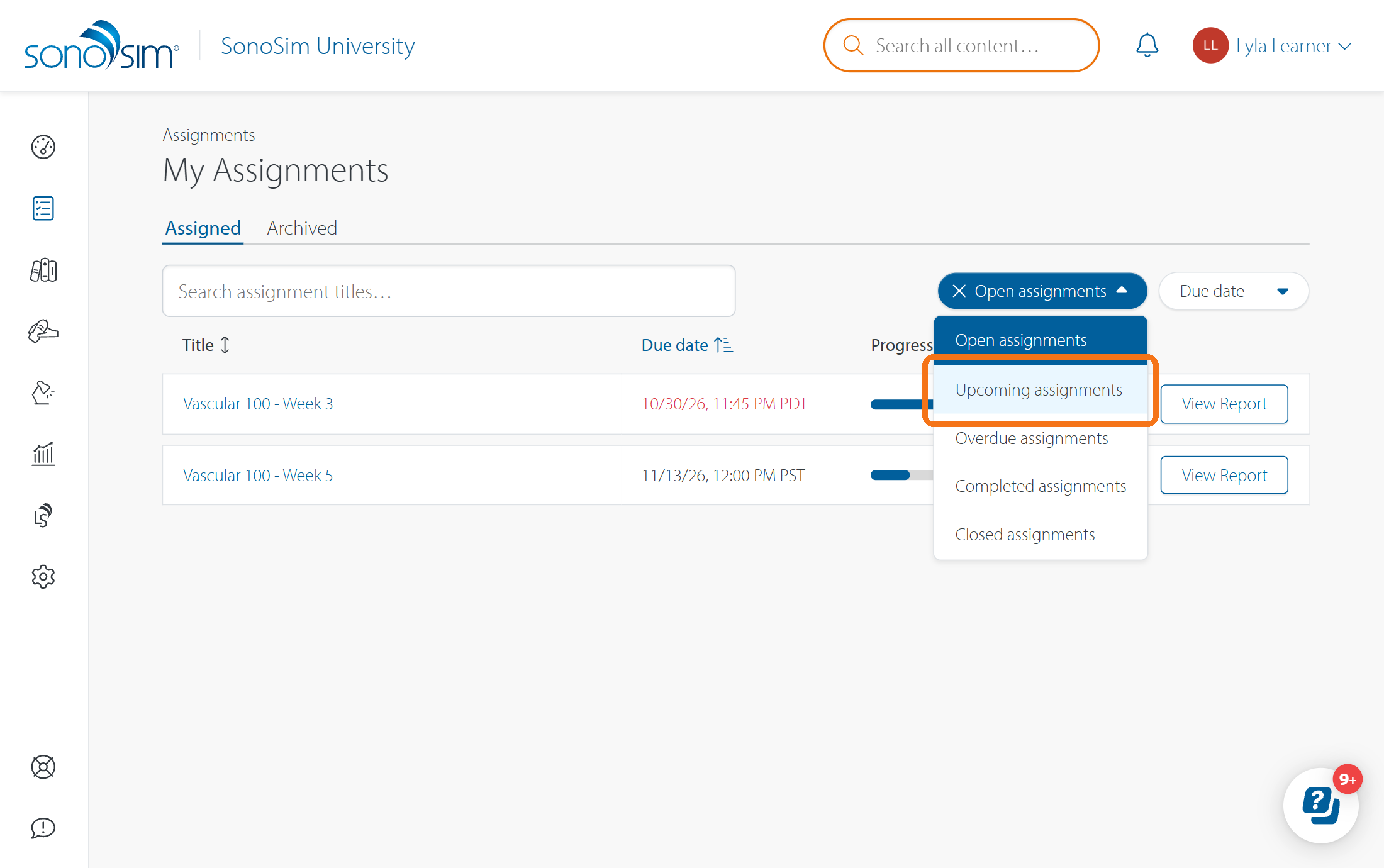
Clear the filter to see the full Assigned list again. Your instructor can archive an assignment when it is finished; archived work moves to the Archived tab, where you can still review its outline and report.
If the assignment was added to your account by mistake, ask your instructor to remove you from it.
If you meant the assignment card on your homepage instead, see How do I remove an assignment from the widget on my SonoSim homepage?
Contact Support
-
Give us a call: 855-873-7666
-
Schedule a virtual Support Session