
Currently, modules cannot be assigned to learners directly in the MySonoSim Dashboard. Assignments must be provided by your instructor externally from the SonoSim platform; i.e., program syllabus, LMS, email.
An in-platform assignment feature is expected to release later in 2026.
-
To find a module assignment PDF file, navigate to your MySonoSim Dashboard.
-
Then either
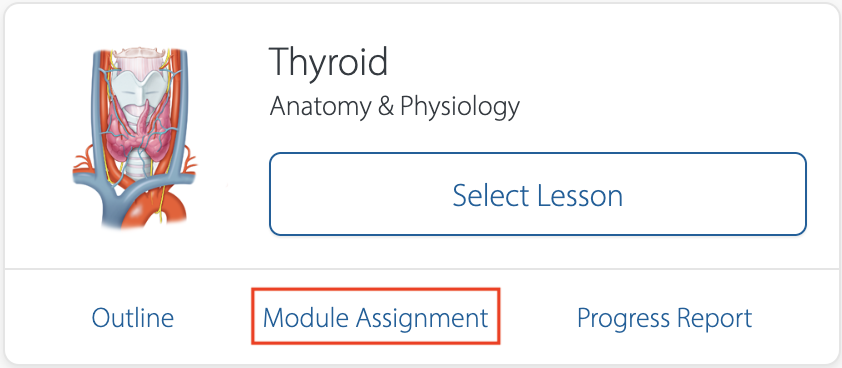
a) navigate to your ‘Course Library’ under the ‘Learn’ menu and select the ‘Module Assignment’ link at the bottom of the course tile, or
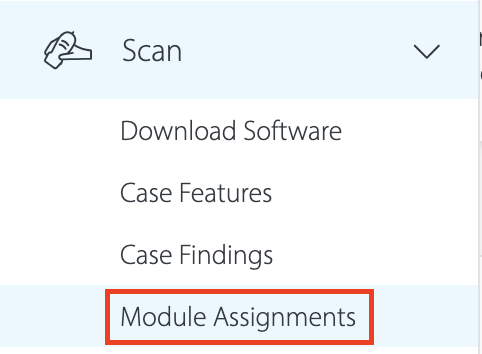
b) navigate to your 'Module Assignments' library under the ‘Scan’ menu to see the full list of all Module Assignments.
Is this a feature you’d be interested in? Let us know by leaving feedback.
Still Have Questions?
Read Related Articles
Contact Support
-
Give us a call: 855-873-7666
-
Schedule a virtual Support Session