
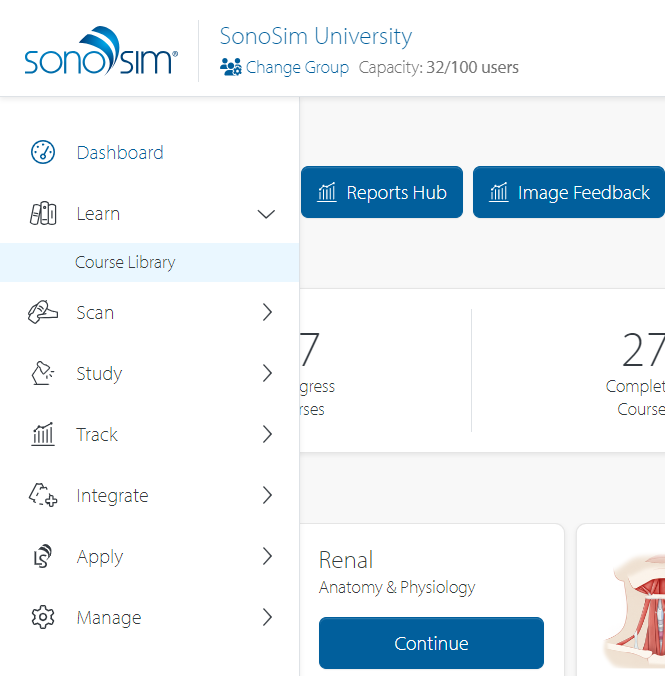
From any internet-connected device, navigate to the My SonoSim Dashboard.
Click 'Learn' then click 'Course Library' in the left sidebar.
Once in the Course Library, click the 'Start' button on any of the courses to begin.
Still Have Questions?
Read Related Articles
- How do I access SonoSim Courses?
- I completed a course. What should I do next?
- How does 'Time in Course' work?
- When is a course considered 'completed?'
- What should I do when my course says “Unable to Connect”?
- I finished a SonoSim course but it's still marked as 'In Progress.' Why isn't my course complete?
- Two courses cover similar concepts. How do I know what each course covers?
- What is the passing score for the end-of-course Mastery Test?
- The "Start Knowledge Check" Button Isn’t Working — What Should I Do?
- The "Start Mastery Test" Button Isn’t Working — What Should I Do?
Contact Support
-
Send us an email: support@sonosim.com
-
Give us a call: 855-873-7666
-
Schedule a Support Session